Vibe Coding vs No Coding with AI: Key Differences Explained
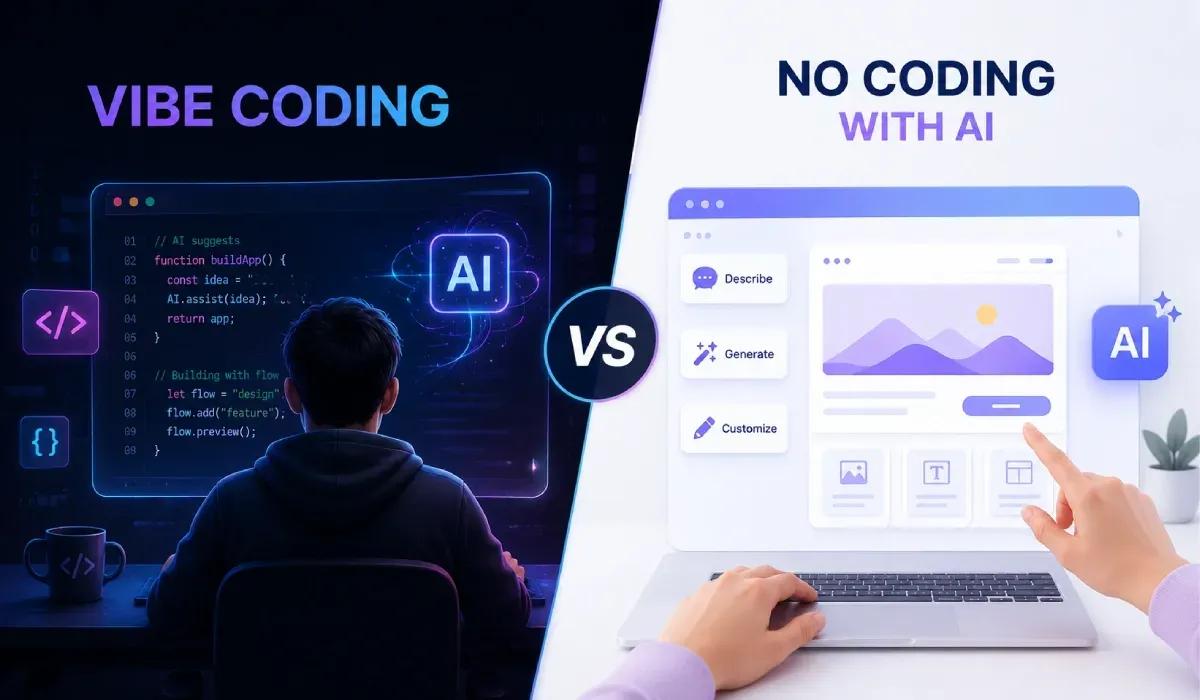
Software development is changing, but not every AI-powered approach is the same. While 84% of developers already use or plan to use AI tools, trust in AI-generated code is declining, showing that speed alone isn't enough.
That's where the debate between Vibe Coding vs No Coding with AI begins. Vibe Coding uses natural language prompts to generate and refine code, giving developers greater flexibility and control. No Coding with AI, on the other hand, lets users build applications through visual interfaces without writing code, making it ideal for simple apps and workflows.
Understanding the difference between vibe coding and no-code development is essential for choosing the right approach.
In this guide, we'll compare their benefits, limitations, use cases, and the best AI tools for Vibe Coding to help you build smarter with AI.
TL;DR
Vibe Coding uses AI to generate and refine code through natural language prompts, making it ideal for developers and technical teams who want speed without sacrificing flexibility. No Coding with AI lets users build applications with visual tools and little to no coding, making it better suited for beginners and simple projects.
What is Vibe Coding?
Vibe Coding isn't about letting AI build your software while you sit back. It's about telling AI what you want in plain English, getting working code instantly, and then improving, testing, and shipping it yourself.
Think of it as coding with an AI teammate. Instead of spending hours writing boilerplate code, you spend more time giving the right prompts, reviewing the output, and making technical decisions. That's why Vibe Coding has become a popular way to accelerate AI-assisted coding and modern AI app development.
The catch? AI can write code, but it can't fully understand your business logic, users, or long-term architecture. Great results still depend on good prompts and human judgment.
Benefits of Vibe Coding
Build prototypes and MVPs much faster.
Reduce repetitive coding with AI coding tools.
Experiment with ideas without starting from scratch.
Focus more on solving problems than writing boilerplate.
Limitations of Vibe Coding
AI-generated code still needs review and testing.
Weak prompts often lead to weak code.
Large, production-grade applications still require developer expertise.
It's a productivity tool, not a replacement for real software engineering.
Vibe Coding helps you code faster, not skip coding altogether. The better your technical understanding, the more value you'll get from AI.
What is No Coding with AI?
No Coding with AI is designed for people who want to build software without writing code. Instead of prompting AI to generate code, you use visual builders, drag-and-drop interfaces, and AI-powered automation to create apps, workflows, and websites.
It's a great option for founders, marketers, and small businesses that need to launch quickly without hiring a development team. However, the trade-off is flexibility. As your product grows, you may hit platform limitations that require custom development.
Benefits of No Coding with AI
Build apps without programming knowledge.
Launch MVPs and internal tools quickly.
Lower development costs for simple projects.
Ideal for validating ideas before investing in custom software.
Limitations of No Coding with AI
Limited customization for complex features.
Scaling can become difficult as your product grows.
Platform lock-in can make migration challenging.
Less control over performance and backend architecture.
Tip: If your project outgrows a traditional No Code Tool, using no-code backend for beginners or a startup backend builder can provide more flexibility without building an entire backend from scratch.
Difference between vibe coding and no-code development
Although both use AI to speed up software development, they solve different problems. Vibe Coding helps you create and improve code faster, while No-Code Development removes coding from the process altogether.
Feature | Vibe Coding | No Coding with AI |
Best For | Developers, technical founders | Non-technical founders, marketers, small businesses |
How It Works | Uses AI prompts to generate and refine code | Uses visual builders and drag-and-drop interfaces |
Coding Required | Yes, basic to advanced | Little to none |
Customization | High | Limited by the platform |
Scalability | Better for production-grade apps | Best for MVPs, internal tools, and simple apps |
Learning Curve | Moderate | Low |
Flexibility | Full control over the code | Depends on the no-code platform |
Ideal Use Case | SaaS products, custom software, APIs | Landing pages, workflows, prototypes, simple business apps |
As your product grows, many teams combine both approaches using a No Code Tool for rapid development and a startup backend builder to add custom APIs, authentication, and databases when they need more flexibility.
This hybrid approach often offers the best balance of speed and scalability.
Best AI Tools for Vibe Coding
Choosing the right AI coding tool depends on your workflow. Some tools are built for writing code, while others help you automate backend development or speed up deployment.
EazeMyAPI
If backend development slows you down, EazeMyAPI is a great place to start. Instead of manually creating databases, APIs, authentication, and backend architecture, you can generate a production-ready backend from plain English. It's especially useful for startups, developers, and teams that want to build faster without repetitive backend work.
Cursor
Cursor is an AI-first code editor that helps you write, edit, and debug code using natural language. It's a solid choice for developers who want AI integrated directly into their coding workflow.
GitHub Copilot
GitHub Copilot suggests code as you type, helping reduce repetitive coding and improve productivity. It's ideal for developers who want faster code completion without changing their existing workflow.
Windsurf
Windsurf combines AI coding assistance with project-wide context, making it easier to build, edit, and maintain full-stack applications.
Replit AI
Replit AI is perfect for rapid prototyping. You can build, test, and deploy applications from your browser, making it a convenient choice for quick experiments and MVPs.
Bottom line: If you need help writing code, tools like Cursor, GitHub Copilot, Claude, and ChatGPT are excellent choices. If you want to eliminate repetitive backend setup, EazeMyAPI helps you generate production-ready backend infrastructure so you can focus on building your product faster.
Vibe Coding vs No Coding: When to Choose what?
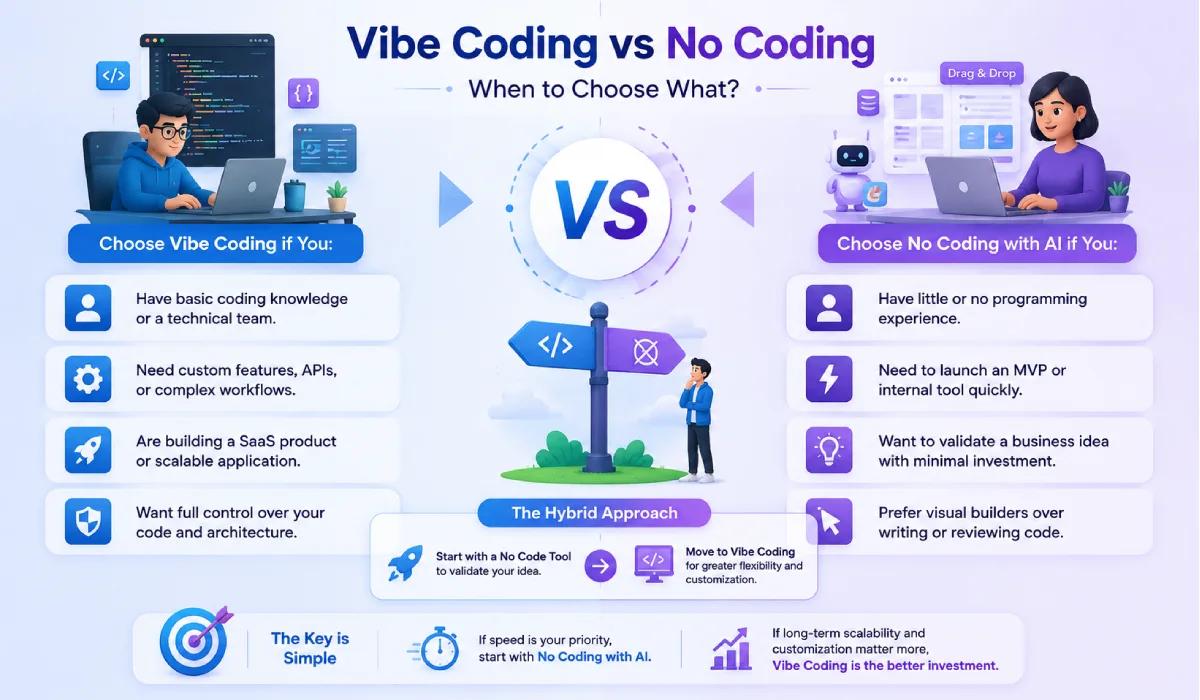
There's no universal winner here, it depends on what you're building and who's building it.
Choose Vibe Coding if you:
Have basic coding knowledge or a technical team.
Need custom features, APIs, or complex workflows.
Are building a SaaS product or scalable application.
Want full control over your code and architecture.
Choose No Coding with AI if you:
Have little or no programming experience.
Need to launch an MVP or internal tool quickly.
I want to validate a business idea with minimal investment.
Prefer visual builders over writing or reviewing code.
Many startups take a hybrid approach. They start with a No Code Tool to validate their idea and later move to Vibe Coding for greater flexibility and customization. If backend development becomes a bottleneck, a startup backend builder like
The key is simple: If speed is your priority, start with No Coding with AI. If long-term scalability and customization matter more, Vibe Coding is the better investment.
Final Thoughts
AI has made software development more accessible than ever, but the best results come from using it strategically rather than relying on it completely. Whether you choose Vibe Coding or No Coding with AI, the right approach is the one that helps you build faster while supporting your product's long-term growth.
Treat AI as a productivity multiplier, not a replacement for good development practices. As your application evolves, having the right tools can make scaling much easier.
If backend development is taking time away from building your core product, EazeMyAPI can help streamline backend creation so your team can focus on delivering features, improving user experience, and bringing products to market faster.
Frequently Asked Questions(FAQs)
Is Vibe Coding suitable for non-technical founders?
Yes, Vibe Coding can help non-technical founders prototype ideas using AI prompts. However, building scalable products usually requires technical expertise or developer support.
Can businesses use Vibe Coding to build SaaS products?
Yes. Businesses use Vibe Coding to accelerate AI app development, build MVPs, and develop SaaS products faster. Human review is still essential for production-ready software.
What is AI-assisted coding vs Vibe Coding?
AI-assisted coding is the broader practice of using AI to help write, debug, or optimize code. Vibe Coding is a prompt-driven approach where developers use natural language to generate and refine code with AI.
What is Vibe Coding vs real coding?
Vibe Coding speeds up development by generating code with AI, while real coding involves writing code manually. Most modern developers combine both approaches for better speed and quality.
Is Software Development with AI possible?
Absolutely. Software development with AI is now widely used for code generation, testing, debugging, documentation, and backend automation. AI improves productivity, but human expertise is still needed to build secure, scalable applications.
Ready to build your backend?
Create your first project for free. No credit card required.
Get started free